CSS Skeleton Loading Placeholders That Do Not Make Layout Jump
Build skeleton screens with CSS and a few lines of JavaScript: shimmer animation, no layout shift, aria-busy and reduced-motion support. Demo included.
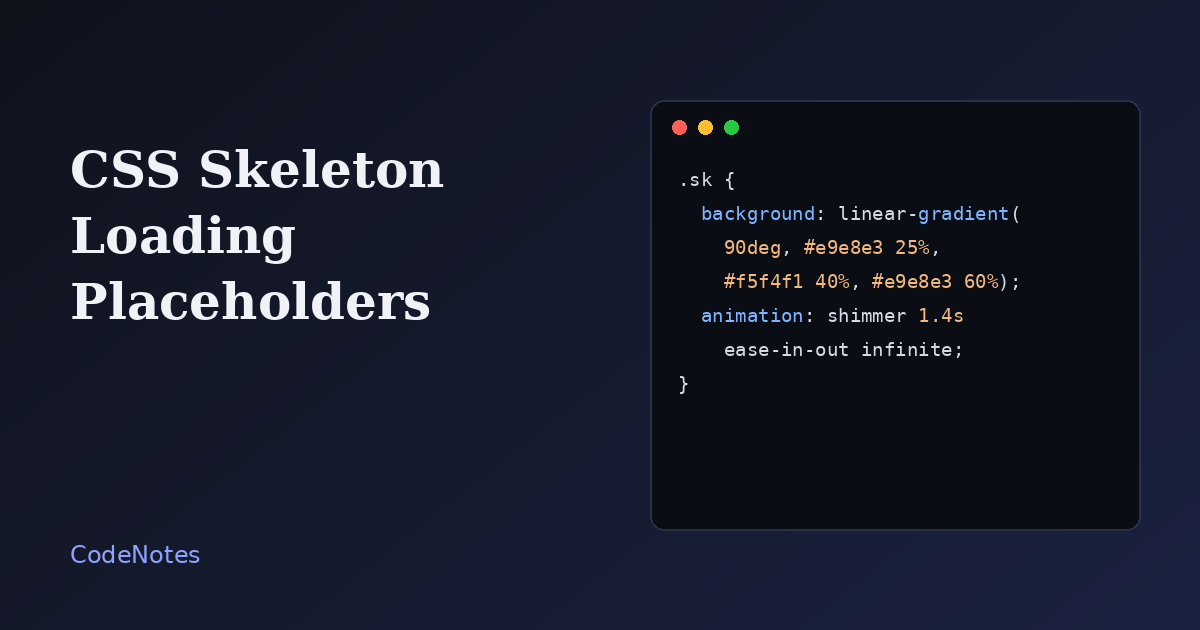
A spinner tells a visitor that something is happening. A skeleton tells them what is coming: roughly where the avatar goes, how many lines of text, how big the card will be. That makes a wait feel shorter, and when it is done properly it also removes the jolt when the real content appears.
The shimmer itself is a few lines of CSS. The craft is in making the placeholder and the final content take up the same space.
What you will build
A profile card that starts as grey shapes with a moving highlight, and swaps to the real content after a short delay. The button reloads it so you can watch the transition again.
The frame is small, so open the demo in its own tab to try it at full size.
The markup
<!-- In the <head>: <link rel="stylesheet" href="/style.css"> -->
<main class="page">
  <article class="card" id="card" aria-busy="true">
    <div class="skeleton" aria-hidden="true">
      <div class="sk sk--avatar"></div>
      <div class="sk sk--title"></div>
      <div class="sk sk--line"></div>
      <div class="sk sk--line sk--short"></div>
    </div>

    <div class="content" hidden>
      <div class="avatar" aria-hidden="true">MK</div>
      <h1>Maya Kowalski</h1>
      <p>Front-end developer. Writes about layout, forms and the small details that make interfaces feel calm.</p>
      <p class="meta">Warsaw, Poland</p>
    </div>
  </article>

  <button class="btn" id="reload" type="button">Load again</button>
</main>

<script src="/script.js" defer></script>
Two blocks live inside the same card: .skeleton and .content. Only one is visible at a time. The skeleton is aria-hidden="true", because grey rectangles mean nothing to a screen reader, and the card carries aria-busy="true" while it loads, which tells assistive technology that the region is still being updated.
The CSS
:root {
  --ink: #1f1d1a;
  --muted: #6c675f;
  --line: #dfddd6;
  --accent: #2f46c8;
  --paper: #f7f7f5;
}

* {
  box-sizing: border-box;
}

[hidden] {
  display: none !important;
}

body {
  margin: 0;
  font-family: system-ui, -apple-system, "Segoe UI", sans-serif;
  color: var(--ink);
  background: var(--paper);
}

.page {
  max-width: 420px;
  margin: 0 auto;
  padding: 2rem 1.25rem;
}

.card {
  min-height: 15rem;
  padding: 1.5rem;
  background: #fff;
  border: 1px solid var(--line);
  border-radius: 12px;
}

.skeleton {
  display: grid;
  gap: 0.75rem;
}

.sk {
  background: linear-gradient(90deg, #e9e8e3 25%, #f5f4f1 40%, #e9e8e3 60%);
  background-size: 300% 100%;
  border-radius: 6px;
  animation: shimmer 1.4s ease-in-out infinite;
}

.sk--avatar {
  width: 56px;
  height: 56px;
  border-radius: 50%;
}

.sk--title {
  width: 55%;
  height: 22px;
}

.sk--line {
  height: 14px;
}

.sk--short {
  width: 70%;
}

.avatar {
  display: grid;
  place-items: center;
  width: 56px;
  height: 56px;
  margin-bottom: 0.75rem;
  font-weight: 700;
  color: #fff;
  background: var(--accent);
  border-radius: 50%;
}

.content h1 {
  margin: 0 0 0.4rem;
  font-size: 1.3rem;
}

.content p {
  margin: 0 0 0.6rem;
  line-height: 1.55;
}

.meta {
  color: var(--muted);
  font-size: 0.9rem;
}

.btn {
  margin-top: 1rem;
  padding: 0.55rem 1rem;
  font: inherit;
  color: var(--ink);
  background: #fff;
  border: 1px solid var(--line);
  border-radius: 8px;
  cursor: pointer;
}

.btn:disabled {
  opacity: 0.5;
  cursor: default;
}

@keyframes shimmer {
  from {
    background-position: 100% 0;
  }
  to {
    background-position: 0 0;
  }
}

@media (prefers-reduced-motion: reduce) {
  .sk {
    animation: none;
  }
}
The shimmer is a single gradient: light grey, a lighter band, light grey again. background-size: 300% 100% makes the gradient three times wider than the element, and the shimmer animation slides background-position from one end to the other, so the bright band sweeps across. There are no extra elements and no pseudo-elements.
Each placeholder shape, .sk--avatar, .sk--title and .sk--line, has the same dimensions as the thing it stands in for. That is the part that protects the layout.
The JavaScript
const card = document.querySelector("#card");
const skeleton = card.querySelector(".skeleton");
const content = card.querySelector(".content");
const button = document.querySelector("#reload");

function setLoading(loading) {
  card.setAttribute("aria-busy", String(loading));
  skeleton.hidden = !loading;
  content.hidden = loading;
  button.disabled = loading;
}

// Stand-in for a real fetch() call.
function load() {
  setLoading(true);
  setTimeout(() => setLoading(false), 1600);
}

button.addEventListener("click", load);
load();
setLoading flips everything at once: the busy flag, both blocks, and the button. In a real project the setTimeout would be a fetch(), and you would call setLoading(false) after the data is rendered.
Common problems and how to fix them
The layout jumps when the content arrives
This is the failure that skeletons are supposed to prevent. It happens when the placeholder is shorter or narrower than the real thing. Give the card a min-height, size the skeleton shapes to match the final elements, and use aspect-ratio for images so the space is reserved before they load.
The skeleton flashes for a split second
When data arrives in 100 milliseconds, showing a skeleton only makes the page flicker. Delay showing it a little, and skip it entirely if the response comes first:
let showTimer;

function startLoading() {
  showTimer = setTimeout(() => setLoading(true), 200);
}

function finishLoading() {
  clearTimeout(showTimer);
  setLoading(false);
}
The animation feels heavy on a long page
Animating background-position repaints each element on every frame. A handful of shapes is fine. A page with fifty animated rows is not. Keep the shimmer on a few large blocks, or drop the animation and use a static grey for long lists.
The movement bothers some people
Constant motion can be distracting or uncomfortable. The prefers-reduced-motion rule at the bottom of the stylesheet turns the animation off, and the grey blocks alone still do the job.
Screen readers stumble over the placeholder
If a placeholder ever holds text, such as a "Loading..." label inside a framework component, a screen reader reads it out of context. Putting aria-hidden="true" on the whole skeleton, and aria-busy on the card, keeps the experience quiet until the real content is in place.
When not to use one
Skeletons suit content with a predictable shape, such as cards, lists and profiles. For an action with an unknown duration, like uploading a file, a progress bar or a plain message is more honest than a placeholder that implies content is about to appear.